Skip to Content
Net dot Net
  • Home
  • Products

    ID Card Printers

    DTC Printers HDP Printers

    Label Printers

    Desktop Printers Industrial Desktop Printers Industrial Printers

    POS Printers

    Desktop POS Printers

    Barcode Scanners

    Handheld Barcode Scanners Stationary Barcode Scanners

    Mobile Computers

    Mobile Phones Tablets
    environment-monitoring

    Discover All Products!

    hid-global-logo
    Citizen-Systems-logo
    honeywell-logo
    datalogic-logo
    avtech-logo
    getac-logo
    springdel-logo
    ivanti-logo
    bartender-software-logo
  • Solutions


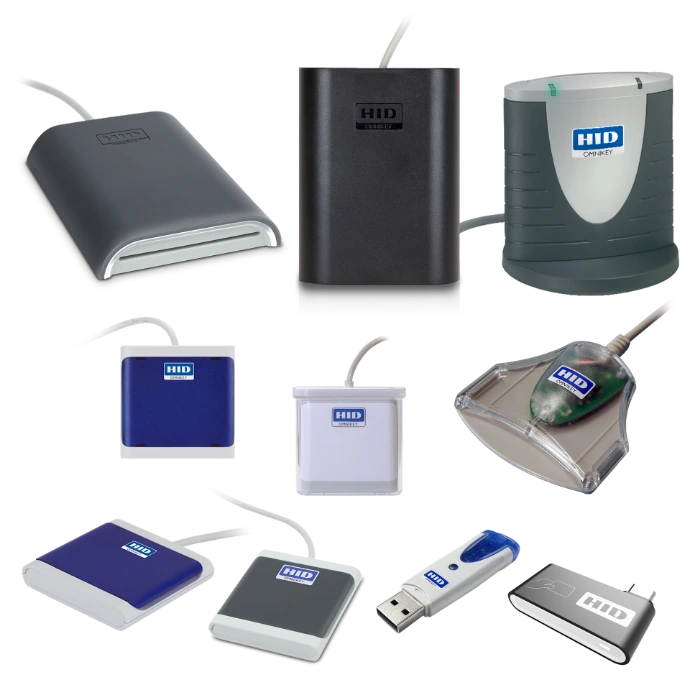
    Automatic Identification & Data Capturing Secure Issuance Environment MonitoringHID OMNIKEY Desktop Readers


    Productivity Printing Physical Access Control Software Solutions

    Explore All Solutions
  • About Us
  • Support
  • Contact Us
  • Jobs
  • 0
  • 0
  • +20-233-387-622
  • Sign in
  • Contact Us
Net dot Net
  • 0
  • 0
    • Home
    • Products
    • Solutions
    • About Us
    • Support
    • Contact Us
    • Jobs
  • +20-233-387-622
  • Sign in
  • Contact Us

Sign in with a tap.


HID OMNIKEY readers turn the smart card, phone, or wearable your people already carry into the key to their computer, network, and cloud apps.


Discover more

Everything you need


Windows, Linux, macOS, Android and ChromeOS

Full PCs, thin clients and zero clients


Passwordless sign-in with FIDO2 on seven of the twelve models

Which of these sounds like your office?

Pick a situation to see the readers that suit it.

You have old and new badgesYou want phones to unlock PCsYou want to drop passwords

You have old and new badges


Proximity badges at 125 kHz sit next to iCLASS, Seos or MIFARE cards. One reader handles both, so you can migrate desk by desk instead of all at once. 
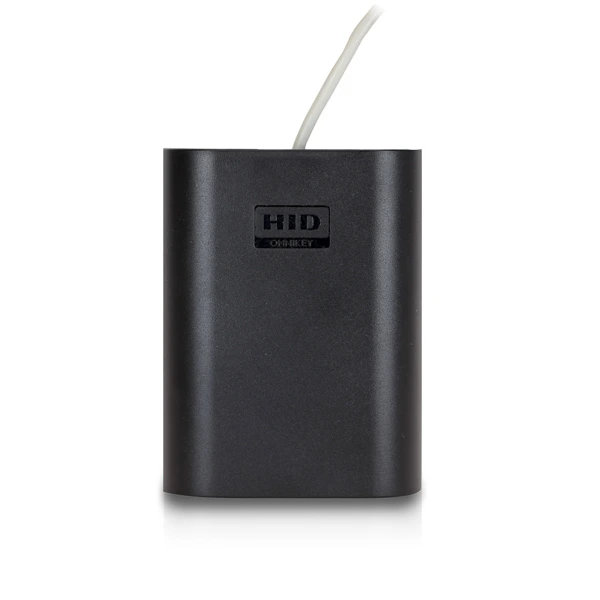
5427CK

You want phones to unlock PCs


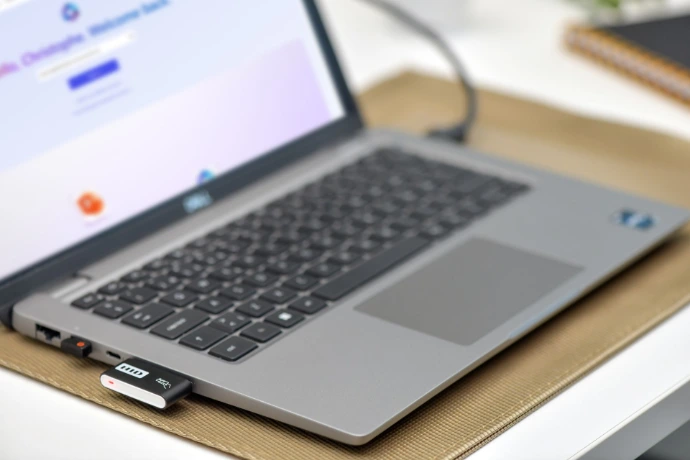
The 5427CK reads phone credentials over Bluetooth in its Bluetooth version, and supports credentials in Apple Wallet. The SE Plug reads them over NFC.

5427CK
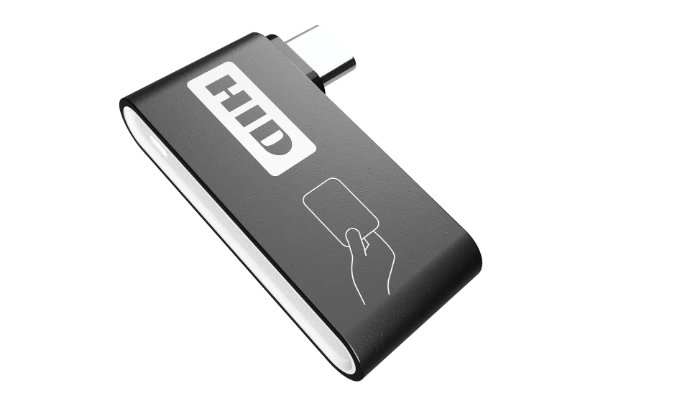
SE Plug

You want to drop passwords


FIDO2 replaces the password with public key cryptography, which protects against phishing and credential theft.
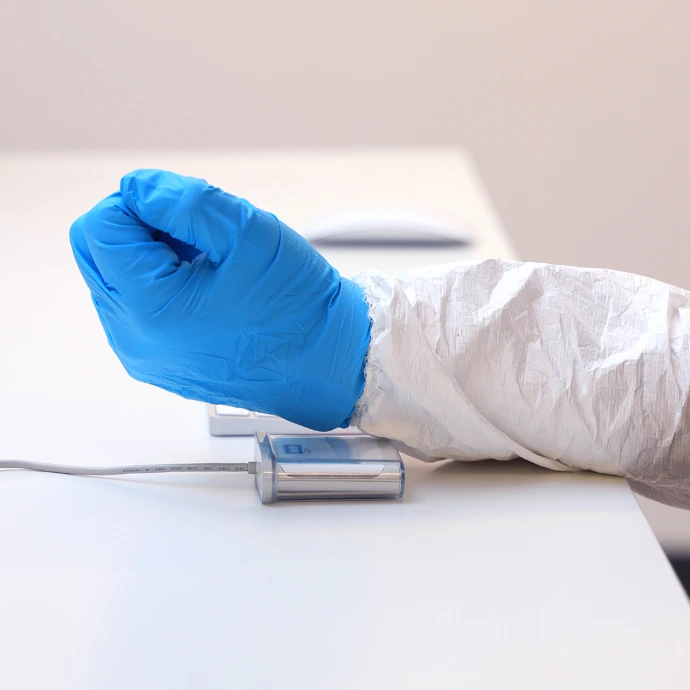
5022 IP67
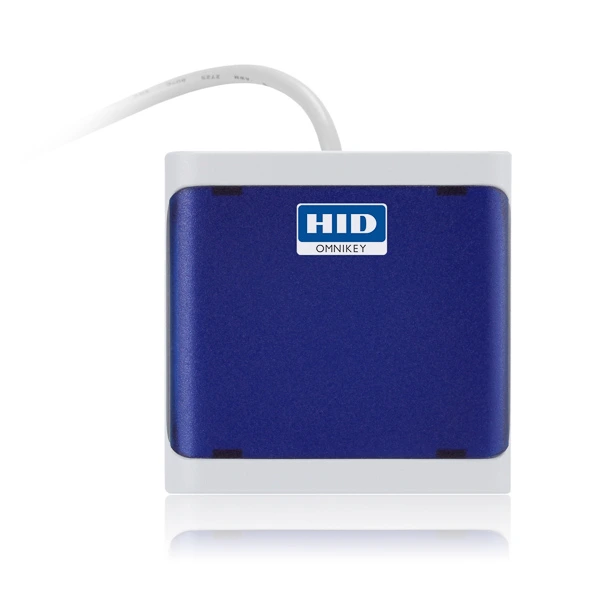
5023
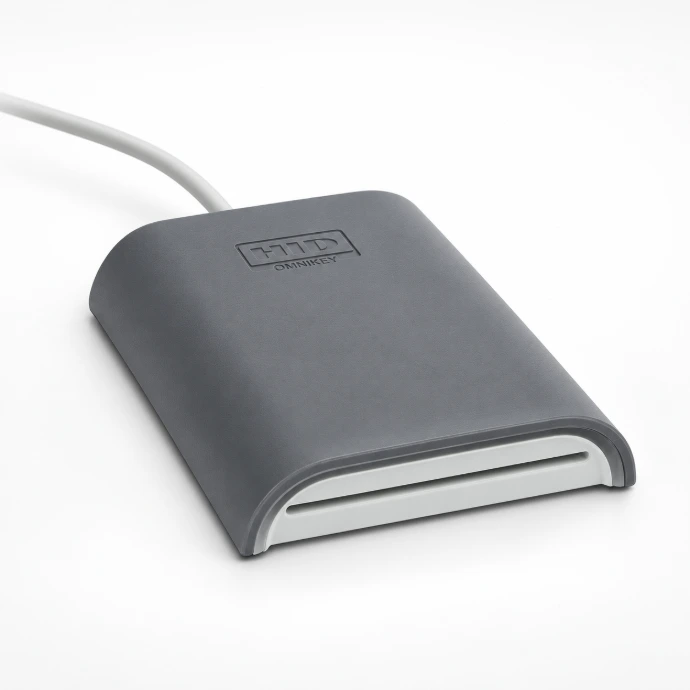
5422

5427CK

SE Plug
Why HID OMNIKEY?

A dependable reader platform used in enterprise identity projects where compatibility, consistency, and user experience matter.

  • Secure authentication for workstation logon, SSO/MFA workflows, and regulated environments.
  • Rollout-ready for large deployments with standardized hardware and consistent user behavior.
  • Flexible credential support across contact, contactless (NFC), and multi-technology scenarios.

Typical use cases

Windows / macOS / Linux login with smart card or NFC credentials

Cloud app sign-in in SSO & MFA journeys

Healthcare & shared workstations for tap-in / tap-out workflows

IT standardization across sites, departments, and device generations

CCID

For PC login, reading and writing, and anything that expects a smart card reader.

1

Card or phone


2

OMNIKEY reader

Standard smart card reader

3

Software

Controls every card exchange

4

Login, read or write


Keyboard emulation

For feeding card data into an application that has a text field and nothing more.


1

Card or phone


2

OMNIKEY reader

Appears as a keyboard

3

Keystrokes

Formats are set in the reader

4

Whichever field has focus


Start 7D1BF3AE End
A MIFARE card’s serial number with text added before and after, as typed by an OMNIKEY 5427CK. HID’s guide lets you choose the text, the card fields and the format: hex, decimal, binary, ASCII or BCD.

Available on the 5027 and 5427CK. Per HID’s 5x27CK guide, the 5427CK defaults to CCID mode and switches to keyboard emulation in its web interface. It can’t run both modes at once.


HID OMNIKEY Tools

From initial setup to ongoing firmware and key management, the OMNIKEY tools suite gives you complete control over your OMNIKEY devices. Configure individual desktop readers, manage embedded modules at scale and remotely update reader fleets with tools purpose-built for efficient device management.

OMNIKEY Reader Manager (ORM)Key FeaturesKey BenefitsHID Linq MobileKey FeaturesKey BenefitsWorkbench ToolKey FeaturesKey BenefitsOMNIKEY Tools Links

OMNIKEY Reader Manager (ORM)


ORM is the dedicated tool for local management of OMNIKEY SE Reader Core and OMNIKEY SE Plug devices. Available for Windows and Android, it enables users to update firmware, read credential data, and manage keys directly on the reader via a simple, intuitive interface.

Key Features

  • Local Reader Management — Update firmware, modify configurations, and manage keys directly on OMNIKEY SE Reader Core and OMNIKEY SE Plug devices
  • NFC-Based Communication — Configure readers, load keys, and deploy firmware updates over NFC for fast and convenient device management
  • Centralized Key Management — Manage both HID-issued and custom keys through a single intuitive interface
  • Cross-Platform Support — Access OMNIKEY Reader Manager on both Windows and Android devices

Key Benefits

  • Accelerated Deployment — Configure and commission readers quickly without additional tools or specialized infrastructure
  • Enhanced Credential Security — Ensure consistent protection across deployments with centralized management of HID-issued and custom keys
  • Minimized Downtime — Troubleshoot, update and maintain readers on-site, eliminating the need to return devices for service
  • Flexible Management Options — Manage readers from either a desktop or a mobile device, adapting to the way your team works

HID Linq Mobile


HID Linq Mobile simplifies in-field management of HID Signo readers and OMNIKEY SE Reader Core embedded modules through a single mobile app. With one secure log-in, users can configure devices, perform maintenance and deploy firmware updates via Bluetooth® Low Energy and NFC connections, streamlining operations and reducing service time.

Key Features

  • One App and Log-In — Manage multiple reader types through one intuitive application and log-in experience
  • Virtual Configuration Cards — Create, save and reuse configuration templates to simplify and standardize deployment of Signo readers and OMNIKEY SE Reader Core embedded reader modules
  • Accelerated Firmware Updates — Quickly deploy firmware updates to keep devices current, optimized and protected against emerging cybersecurity threats
  • Secure Connectivity – Perform configuration, maintenance and update tasks in the field using Bluetooth® Low Energy and NFC communications

Key Benefits

  • Seamless User Experience — Manage multiple reader platforms through a single app, with one log-in and customizable device configurations
  • Enhanced Device Protection — Keep readers secure and up to date with regular firmware updates designed to address evolving cybersecurity threats
  • Faster Feature Adoption — Deploy new capabilities quickly and consistently across your reader fleet, ensuring access to the latest technologies
  • Versatile Deployment Support — Designed to meet the needs of OEMs, distributors and system integrators across a wide range of deployment scenarios


Workbench Tool


OMNIKEY Workbench is the desktop configuration and diagnostics tool for OMNIKEY desktop and embedded readers. From a single Windows application, users can monitor reader service status, perform functional tests, configure devices and prepare readers for deployments.

Key Features

  • Centralized Configuration and Diagnostics — Configure, test, and troubleshoot OMNIKEY desktop and embedded readers from a single Windows application
  • Built-In Diagnosis View — Monitor smart card reader service status in real-time and run functional tests to verify performance
  • Regularly Updated and Enhanced — Benefit from ongoing improvements in usability and device compatibility, including the latest enhancements in version 2.7
  • Powered by the HID Tool Ecosystem — Serves as a foundation for other HID configuration tools and is required by utilities such as Sense Config

Key Benefits

  • Accelerated Reader Deployment — Configure and validate new OMNIKEY readers quickly through an intuitive interface without relying on command-line tools
  • Simplified Troubleshooting — Identify and resolve reader issues faster with real-time status monitoring and built-in functional testing
  • Enhanced reliability Over Time — Stay up to date with regular software releases that improve usability, strengthen security and expand device compatibility
  • Consistent Configuration Experience — Establish a standardized setup process across teams with the core platform that supports other HID configuration utilities


OMNIKEY Tools Links


Find the right downloads you need from these links.


  • ORM Windows 
  • ORM Android
  • Linq
  • Workbench
  • Developer Portal
  • Drivers & Downloads


From first desk to full rollout

Four steps, with the HID tool that helps at each one.


Take stock of credentials

List the cards, badges and phones your people carry, and the operating systems and clients they sign in on. The three questions at the top of this page start from that list.


Pick readers and a mode

Choose CCID for PC login and anything that reads or writes cards. Choose keyboard emulation when an application only needs the card data typed in.


Pilot a few desks

Configure and test readers, then try them with your real cards and phones before you order more. Workbench shows the smart card reader service status live and runs functional tests.

OMNIKEY Workbench for Windows


Roll out and manage

Apply settings and firmware to 5427CK readers through the web interface or configuration cards. Update firmware, read credential data and manage keys on SE Plug readers over NFC.

5427CK web interface Configuration cards OMNIKEY Reader Manager for Windows and Android

Working with embedded modules or HID Signo readers? HID Linq Mobile configures and updates them from one mobile app over Bluetooth Low Energy and NFC.

Strong Authentication for Physical and Logical Access

From ensuring speed to facilitating secure environments for data access and identity verification, OMNIKEY Desktop Readers are powered by the latest RFID technology and design to make your applications innovative, reliable and successful.

  • Support a large range of high and low frequency credentials stored in a card, in a wallet on the phone or even within a wearable
  • Integrate easily in logical access environments
  • Offer options for fat, thin and zero-client environments
  • Support all relevant operating systems from Windows platforms to Linux and Mac OS
  • Certified to industry standards, such as PC/SC, WHQL, USB, CCID, EMV 2000 and Common Criteria to ensure worldwide support

Learn more

Built for enterprise deployments

A stable platform with the performance and compatibility teams need for large-scale rollouts.


Strong authentication

Enable secure workstation access and regulated workflows with consistent reader behavior and credential support.


Broad compatibility

Fit into common enterprise identity environments and multi-OS workstation fleets.


Deployment-ready

Standardize across sites with a consistent model strategy, procurement approach, and support plan.

Common questions

Not here? Add your readers to the quote list and ask us.

Not for readers with a native CCID driver. Windows, Linux and macOS include it. The 5027 has no native CCID driver and works as a keyboard instead.

On two models. The 5427CK reads phone credentials over Bluetooth in its Bluetooth version and supports credentials in Apple Wallet. The SE Plug reads them over NFC. HID’s guide marks the NFC route as Android only.

Only the 5427CK is listed for both low and high frequency. Every other reader is listed for one or the other.

The 5022, 5022 IP67, 5023, 5422, 5427CK, SE Plug and Plug. The 5025CL and 5027 do not.

Physical access cards carry a stream of bits with sections such as facility code and card number. The 5027 and 5427CK are both listed for PACS bit parsing. HID’s guide shows the 5427CK sending the whole stream or only the sections you pick.

On the 5427CK, use the built-in web interface or load a configuration card. HID’s guide lets you choose which card types and fields it sends, the text before and after, and the format: hex, decimal, binary, ASCII or BCD. Check HID’s documentation for the 5027.

Every reader is listed for login on thin and zero clients, and ChromeOS is supported across the range. The 5427CK is also certified Works With Chromebook and IGEL Ready.

Ready to standardize OMNIKEY readers across your organization?

Share your credential type and environment—then we’ll recommend suitable models and prepare a quote.

Contact Us

×

Exclusive Partners Deals Await!

Unlock incredible discounts and benefits just for our valued resellers.

Contact us
Explore
  • Home
  • Our Company
  • Technical Support
  • Privacy & Policy
Follow us
  • Facebook
  • Linkedin
  • Instagram
  • WhatsApp
Get in touch
  • info@netdotnet.info
  • sales@netdotnet.info
  • tech.support@netdotnet.info
  • supportme@netdotnet.info
Call Us
  • +971545038894
  • +02-110-380-6782

  • +20-237-628-457
  • +20-237-628-459
  • +20-233-387-622
An address must be specified for a map to be embedded
Visit us: Our office is open Monday – Friday 8:30 a.m. – 4:00 p.m.
An address must be specified for a map to be embedded
Visit us: Our office is open Monday – Friday 8:30 a.m. – 4:00 p.m.
Our Location/s

IFZA Business Park, Dubai Silicon Oasis, Building A2 Dubai, UAE.

Egypt

12 Suliman Abaza, Dokki, Giza, Egypt.

Cookie Policy

Copyright ©NetdotNet2020
Powered by Net dot Net

We use cookies to provide you a better user experience on this website.Cookie Policy

Only essentials   I agree